Summary: An updated picture of the professional who produces digital books today. Mastering EPUB 3, accessibility (EPUB A11y 1.1 and WCAG 2.2) and metadata is the core. The rest attaches itself as the work demands.
A few years ago I published a short guide with 15 tips for anyone wanting to become a "digital book technician". It was a direct response to a job advert I had come across. The piece got around, ended up as teaching material, and to this day I get messages asking whether it still holds.
The honest answer is: it holds, but it needs updating. MOBI is dead. Adobe Digital Editions is no longer the default. A robust accessibility standard has appeared. AI has entered the production flow. Metadata has become central. And the profile of the digital book professional has widened a great deal: today they do not only produce EPUBs, they produce audiobooks, organize ONIX metadata, audit websites for AI engines and help publishers move their K-12 catalogs to accessible HTML5.
So here is the 2026 version of that guide. I kept the 15 tips, replaced the outdated references and added what has clearly become essential. If you are starting out now, this is the map.
1. Know the book trade and where digital is heading
Anyone producing digital books works inside a chain: author, publisher, distributor, bookstore, reader. Knowing that chain is not a formal requirement of the technical role, but those who know it make better decisions. They understand why an editor is in a hurry, why a bookstore rejects a file, why an author asks for that particular feature.
Required reading: PublishNews, the Brazilian daily for publishing news. Add the CBL and SNEL trade bodies and, for the international picture, the The New Publishing Standard newsletter and Publishers Weekly. All of it fits into half an hour a day.
2. Know the formats and what each does best
This is still essential. What changed is the list. The formats that really matter today are:
- Reflowable EPUB 3, the absolute standard for continuous-text books.
- Fixed-layout EPUB 3, for illustrated children's books, comics and textbooks with rich composition.
- Accessible PDF (PDF/UA), still widely used for technical, academic and legal material.
- Audiobook (M4B, MP3 with chapters), a category growing at double digits a year in Brazil.
- HTML plus a web platform, for service-style books, online courses and content that is born digital.
An important note on Kindle: Amazon discontinued MOBI in 2022. KDP now accepts EPUB directly and converts it internally to its own formats (KFX/KPF). If you still come across someone asking for a "MOBI file", let them know: that is old information.
3. Master the EPUB 3 specification
The old tip talked about "EPUB 2, EPUB 3 and MOBI". It has got simpler. Today it is only EPUB 3, and the current standard is EPUB 3.3, maintained by the W3C. EPUB 2 is legacy, still turning up in old files, but nobody produces in it any more.
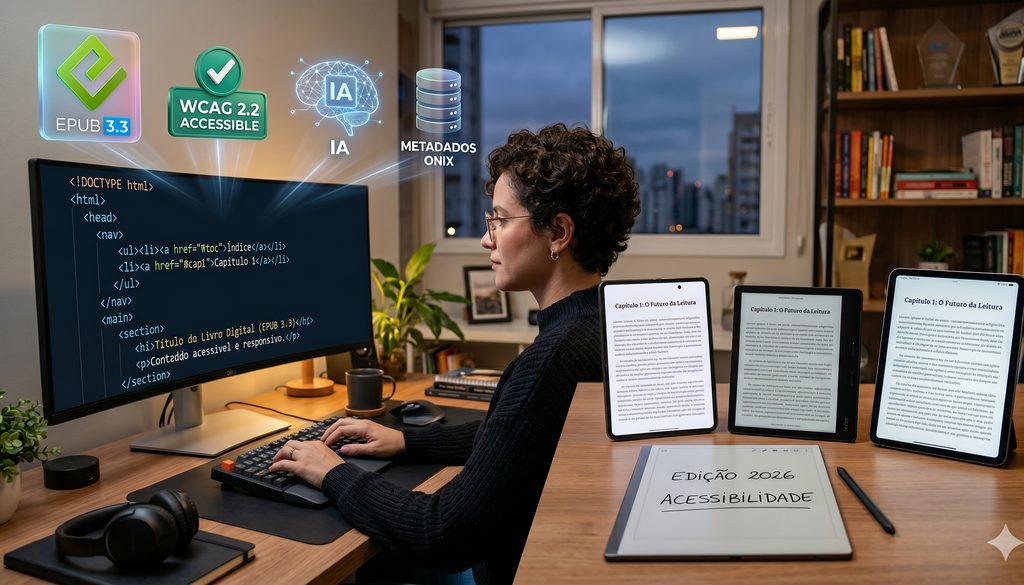
Knowing EPUB 3 means understanding the OPF file, the NAV, the manifest, the spine, the Dublin Core metadata, the folder structure, and how it all packs into a ZIP with the right signature. It also means being able to open the file, look at the code and understand what is wrong when something breaks. A black box is no use to whoever produces the book.
4. Understand digital accessibility: EPUB Accessibility 1.1 and WCAG 2.2
This is the tip that has changed most since the original version. In 2018 accessibility was "something that would be nice to have". Today it is a requirement, and in many countries a legal obligation. In the European Union, the European Accessibility Act has required every digital book sold to be accessible since June 2025. In Brazil, the national K-12 textbook program (PNLD) already requires accessibility conformance. And that is spreading.
Accessibility in a digital book means correct semantic structure (using <h1>, <nav> and <aside> with purpose), alternative text on every image, long descriptions where the image carries information, a logical reading order, adequate contrast, language marking and navigation through landmarks. The official standard is the W3C's EPUB Accessibility 1.1, which builds on WCAG 2.2. The tool to check with: Ace by DAISY.
If you want to make a living from digital books in 2026, this tip comes right after EPUB 3. Perhaps even before it.
5. Know the production routes
Producing an EPUB is not a single path. The right flow depends on where the content is today:
- InDesign: still king in publishing houses. It exports EPUB directly, though the result always needs manual work afterwards.
- Word (.docx): with Pandoc and a little CSS you can produce a quality EPUB straight from Word. Excellent for text-only books.
- Markdown: my favorite flow for digital-first projects. Pandoc converts it to EPUB, HTML, PDF, anything.
- PDF: the worst starting point, but sometimes the only one. It takes OCR, restructuring and patience.
- Structured XML (JATS, DocBook): the academic and scientific world, particularly for SciELO and ABNT work.
There is no "right" flow. There is the flow suited to the content in front of you.
6. HTML and CSS, without fear
This has not changed. Anyone producing digital books needs to know HTML and CSS. Full stop. You can start out with tools that generate the code for you, but when something breaks, and it will, only someone who understands the code can fix it.
Semantic HTML above all. It is not enough to "make it appear on screen". It has to appear with meaning: a heading is an <h1> because it is a heading, not because it is in large type. That difference is what separates an accessible EPUB from a decorative one.
A good free course: Mozilla's MDN Web Docs is the best open reference for HTML and CSS anywhere.
7. A grounding in web design and fluid design
Producing a reflowable digital book is closer to building a website than to making a printed book. Responsive layout, progressive enhancement, mobile-first, design systems: all of these come from the web and apply fully to EPUB.
A digital book is read on a 4-inch phone screen, a 10-inch tablet, a 32-inch monitor, an e-ink reader, and screen reader software for blind readers. The same file. If you design with one screen in mind, you lose all the others.
Recommended reading: Flexible Web Design by Zoe Gillenwater (it has some years on it but has aged well) and anything from A List Apart.
8. Editing images, audio and video
It sounds obvious, but I see professionals tripping over it constantly. Resizing an image without destroying the quality, choosing between JPEG, PNG, WebP and SVG, cutting file weight without sacrificing sharpness, trimming audio, adding captions to video: all of it is part of the daily work.
Tools I use and recommend:
- GIMP or Affinity Photo for images.
- Audacity for audio.
- HandBrake and Shotcut for video.
- Squoosh for quick image optimization straight in the browser.
- Noun Project and Flaticon for icons.
A bonus for 2026: generating images with AI has become part of the flow. Knowing how to use tools such as Midjourney, Ideogram or Adobe Firefly to create illustrations, covers and graphic elements sets you apart. With redoubled care over rights and licensing.
9. Be able to produce EPUB from InDesign
Still a fundamental line on the CV. Most Brazilian publishers still lay their books out in InDesign, and the professional who understands how to export from there to EPUB 3, how to set up styles, how to structure the document before exporting at all, saves hours of rework.
A practical tip: InDesign exports a "raw" EPUB that always needs post-production. Tools such as Sigil (open source, my preferred EPUB editor) are indispensable at that stage. And if you work with custom plugins, take a look at Kandido Export, which we built at Booknando to automate much of the post-InDesign rework.
10. Produce EPUB straight from Word or Markdown
Often the content sits in a Word file and never passes through InDesign at all. In 2018 the tip was "produce straight from Word". That still holds, but the route has changed.
The most robust flow today is Word → Markdown → EPUB via Pandoc. Convert the Word file to Markdown (there are several ways), clean up the formatting, apply your own CSS, export the EPUB. The result is more predictable and cleaner, and the source file in Markdown can also generate HTML, PDF and even an audiobook later.
For anyone getting started: Pandoc is free, runs on any system, and is the Swiss army knife of document conversion.
11. Produce EPUB from PDF
The worst starting point, but sometimes the only one. PDF is a format for visual presentation, not for structure. Converting it to EPUB means, in practice, rebuilding the book.
Options, from least to most professional:
- Calibre: free, fast, fine for simple conversions and personal use. It does not deliver editorial quality, but it gets you out of a tight spot.
- ABBYY FineReader: quality OCR for scanned PDFs.
- AI pipelines: it is now possible to use computer vision models to recognize page structure, separate elements (heading, body, caption, table) and rebuild the EPUB semi-automatically. At Booknando we built PAJE, our editorial annotation and judgment pipeline, which does exactly this for complex books.
If PDF is the starting point, set aside time. A lot of time. Or hire someone who does this.
12. Digital typography
Books are text, and text has type. This tip has not changed, but the repertoire has grown.
Today a good professional knows the formats (OTF, TTF, WOFF2), variable fonts (a single file with many weights and styles, light and flexible), licensing (almost no digital book can use a commercial typeface without embedding the right license), and typographic accessibility (typefaces such as OpenDyslexic, Atkinson Hyperlegible and Lexend).
Good references: Google Fonts for free and openly licensed typefaces, MyFonts and Fonts.com for commercial ones, and Ellen Lupton's Thinking with Type for the fundamentals.
13. Know the reading software and platforms
Whoever produces the book has to test where the reader will read it. Opening it in your own editor and assuming it is finished is not enough. In 2026 the minimum map of platforms to test on includes:
- Thorium Reader: open source, with excellent accessibility support. My standard recommendation for QA.
- Apple Books: the most widely used interface on iOS and macOS.
- Google Play Books: Android and the web.
- Kobo: dedicated e-readers and apps, an international standard.
- Kindle: converts EPUB internally, and the behavior is not always predictable.
- MEC Livros and BibliON: Brazilian public digital libraries that read EPUB in the browser. A good gauge of how the file behaves out in the wild.
Adobe Digital Editions still exists, but I keep it only to test files with Adobe DRM. It has left the daily routine.
14. Know metadata and the store specifications
In the old version this tip was "know the store specifications". That still holds, but it has widened. What matters today is mastering the world of metadata:
- ONIX for Books, EDItEUR's international standard for describing books in commercial circulation.
- Thema, the international subject classification system that replaced BISAC in Europe and is gaining ground in Brazil.
- BISAC, the American classification, still dominant in the United States.
- The EPUB's internal metadata (Dublin Core in the OPF, embedded Schema.org).
- Store specifications: Kobo Writing Life, Amazon KDP, Apple Books for Authors and Google Play Books Partner.
Metadata has become so central that you can now say it plainly: a book without good metadata is an invisible book. Invisible in the digital bookstores, invisible to search engines, invisible to the AIs that recommend books. And that is only going to grow.
15. Validation, problem solving and a generous dose of curiosity
Something went wrong? That is part of the game. The difference between the professional and the amateur is one of mindset: the amateur blames the tool, the professional investigates the cause.
Validation tools you cannot do without:
- EPUBCheck, the official validator, now at version 5.x. It runs from the command line or through the web at Pagina EPUB-Checker.
- Ace by DAISY, the accessibility validator.
- The browser DevTools, to inspect the HTML and CSS of an EPUB opened directly in Chrome or Firefox (there are extensions that do this).
And the last thing: curiosity and goodwill. No course teaches that. The digital book is always changing. In 2018 we were talking about EPUB 2 and MOBI. In 2022 the accessibility standard arrived. In 2024 AI entered the flow. In 2026 we are talking about GEO, about getting your book found by ChatGPT and Perplexity. In 2028 it will be something else.
Anyone entering this profession has to accept that they will be studying for the rest of their life. The good news is that, for anyone who loves the craft, that is no burden. It is exactly what makes the work interesting.
Where to start
If you have got this far and are thinking "all of that?", relax. Nobody learns it all at once. My advice is to start with the first three items (the trade, the formats, EPUB 3) and with tip 4 (accessibility). That is the core. Once you have that, the rest attaches itself as the work demands.
And if you want a structured path, Faculdade LabPub runs a full program on AI and the publishing industry, where I coordinate the artificial intelligence side. You can learn on your own, but with guidance you get there faster.
Good luck, and welcome to a profession that never stops reinventing itself.
Going further
- W3C. EPUB 3.3 Specification. Available at: https://www.w3.org/TR/epub-33/
- W3C. EPUB Accessibility 1.1. Available at: https://www.w3.org/TR/epub-a11y-11/
- DAISY Consortium. Ace by DAISY. Available at: https://daisy.github.io/ace/
- EDItEUR. ONIX for Books. Available at: https://www.editeur.org/8/ONIX/
- Pandoc. Universal document converter. Available at: https://pandoc.org/